
Scratch Coding
Space Invaders Project
Build your own arcade-style Space Invaders game in Scratch. Create the basic game, add your own creative features, test it with others and improve it based on feedback.

Project Goal
- Build a playable Space Invaders game.
- Add your own creative features and improvements.
- Include sound effects as part of your finished game.
- Receive peer feedback and improve your game.
- Record gameplay evidence and upload it to the school shared system.
Starter: Watch the Finished Game
Before you begin, watch the completed game and identify the features you will build.
Player Movement
Create the tank and control it with arrow keys.
Shooting
Use the space bar to fire lasers.
Alien Movement
Make aliens appear and move down the screen.
Collision
Detect hits and create game over conditions.
Extensions
Add scoring, levels, speed changes and sound.
Testing
Peer test, improve, record and submit.
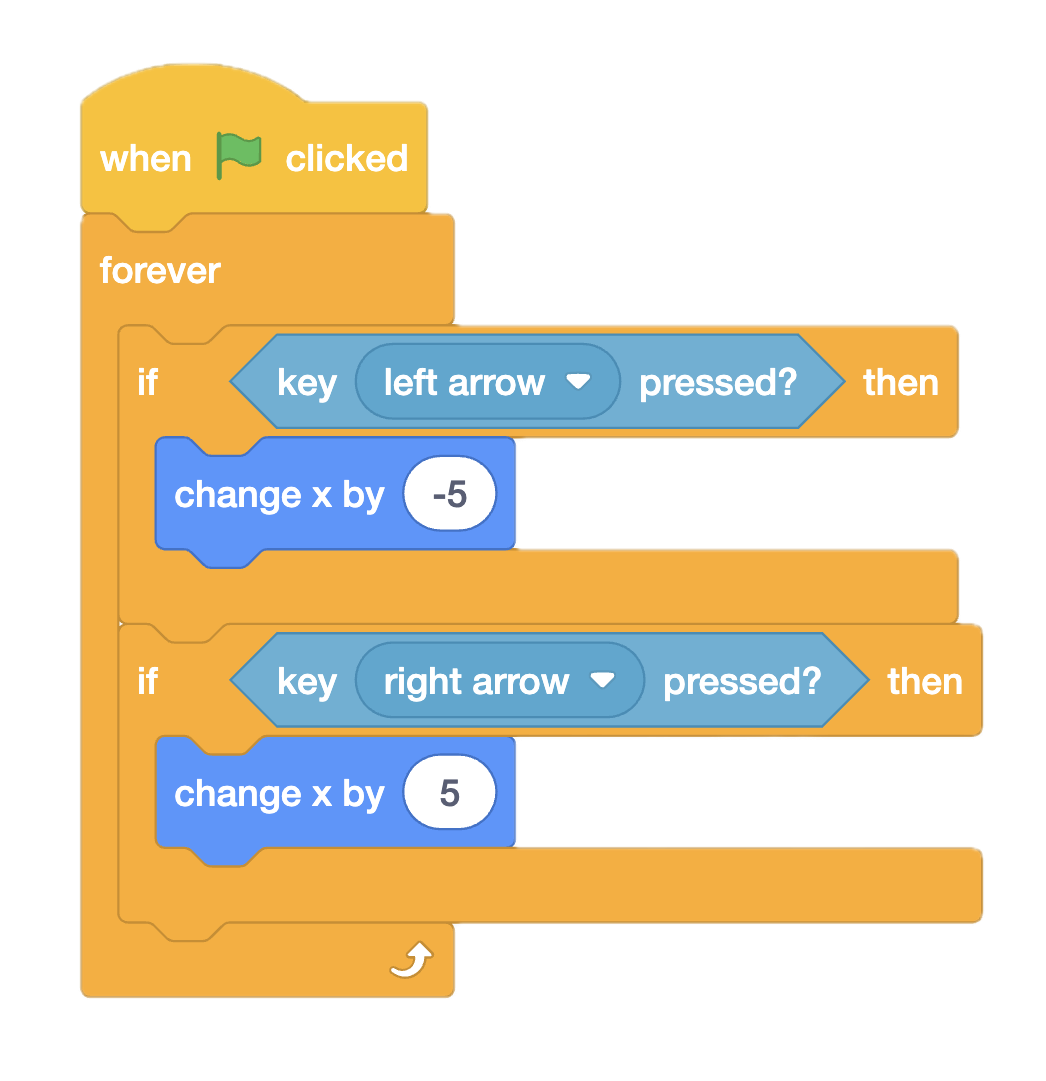
Stage 1: Creating your sprites
Goal: Create 4 individual sprites to begin with - a red line, a yellow laser, an alien and finally a tank that moves left and right. The code shown on the left is for the tank only, allowing it to move left and right. Finally, add a suitable background image.
- Create the tank sprite.
- Use the left and right arrow keys.
- Make movement smooth and controlled.
- Keep the player sprite on screen.




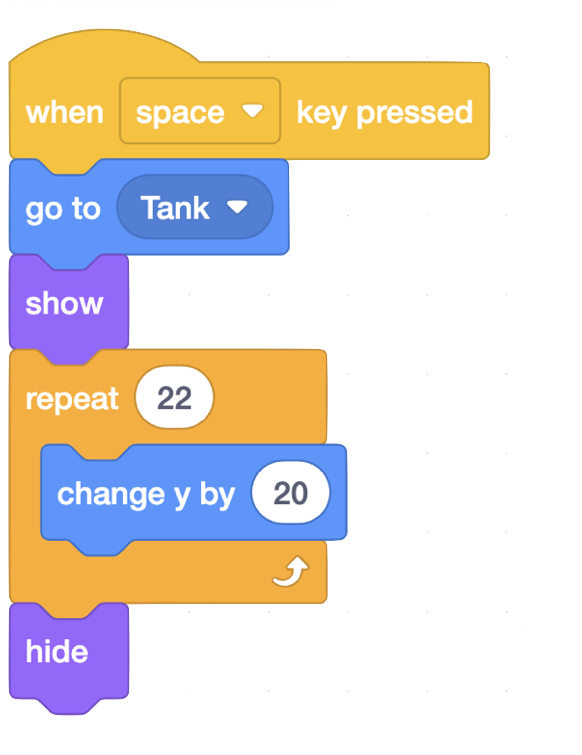
Stage 2: Shooting Lasers
Goal: Allow the player to fire a laser using the space bar.
- Select your yellow laser sprite.
- The space bar will be used to fire the lasers.
- Make the laser appear at the tank position.
- Make the laser move upwards and hide again.
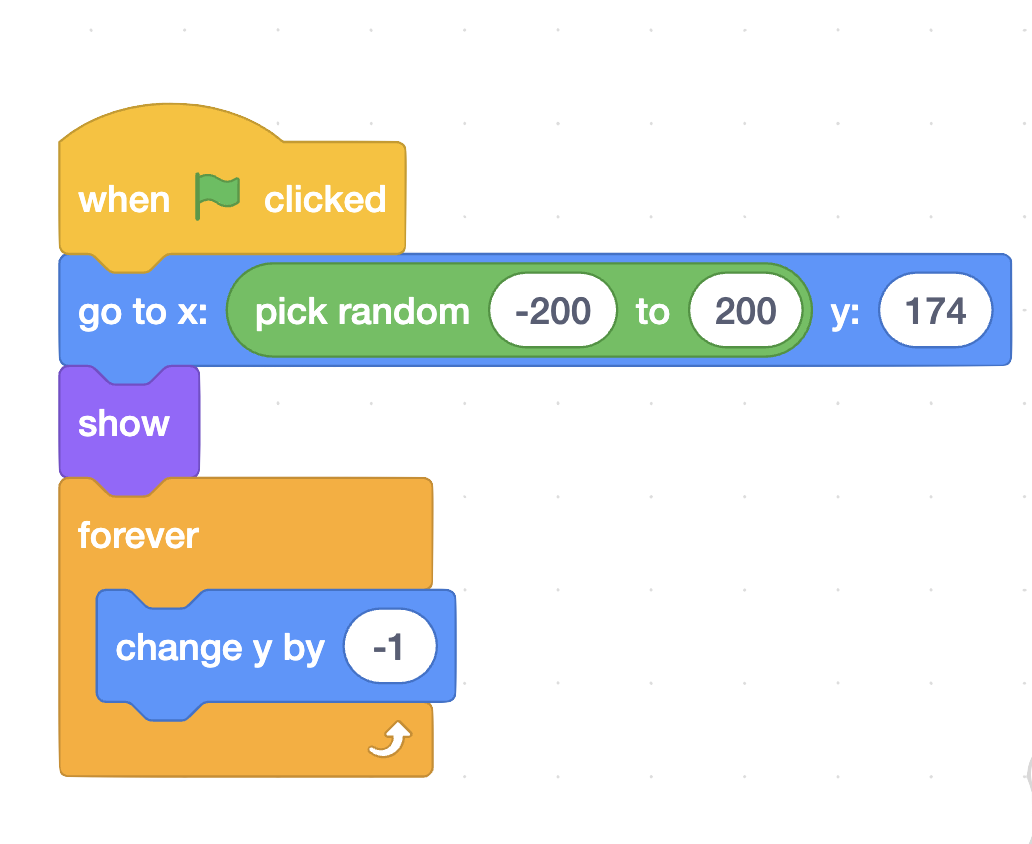
Stage 3: Alien Movement
Goal: Make aliens move down the screen continuously.
- Select your alien sprite.
- Start aliens at random positions.
- Use loops to make aliens move downwards.
- Make gameplay repeat continuously.
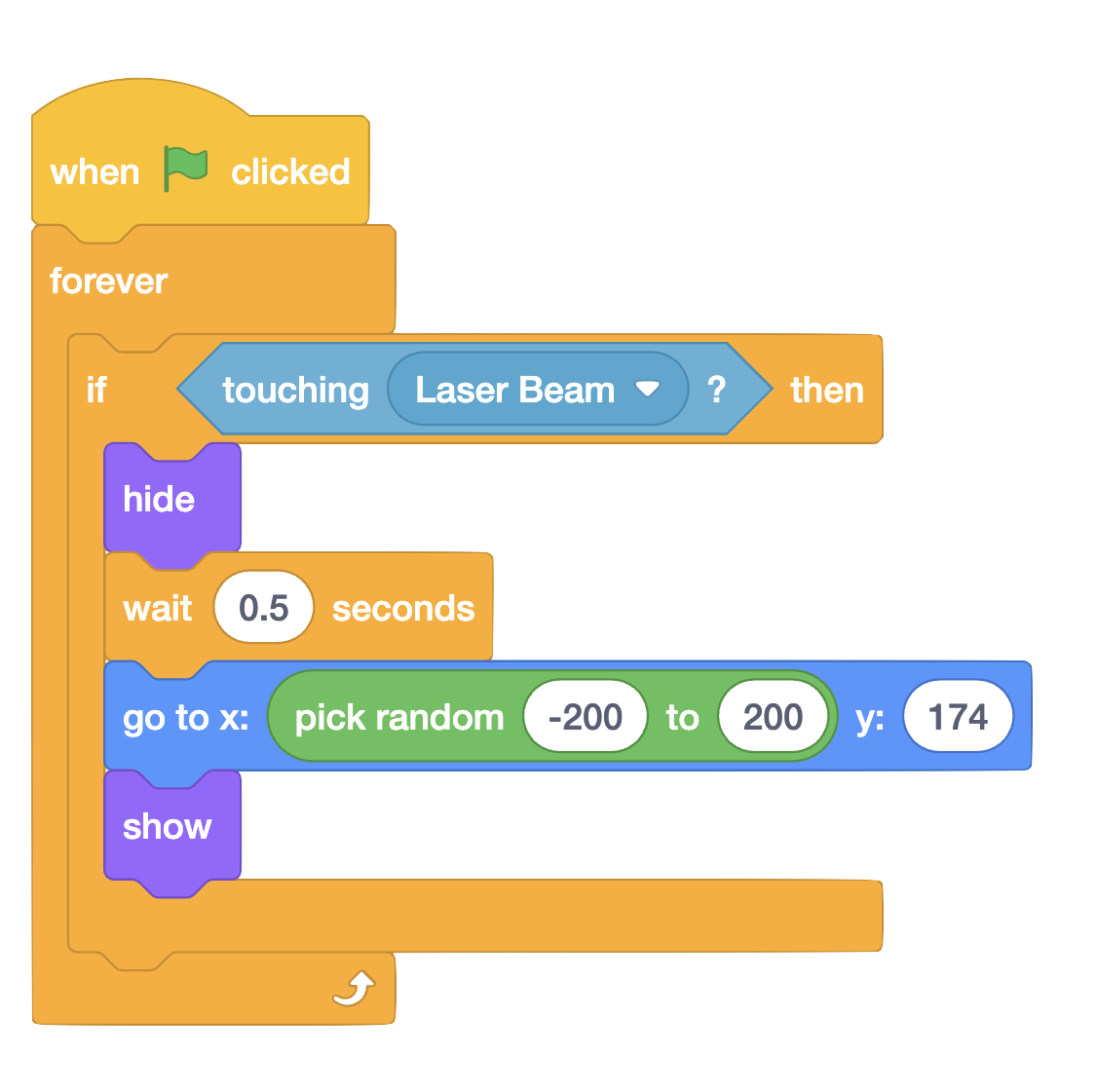
Stage 4: Collision Detection
Goal: Detect when the laser hits the alien and when aliens reach the bottom.
- Detect when the laser touches an alien.
- Hide or reset the alien after it is hit.
- Add a game over line at the bottom.
- Make the game respond when an alien reaches Earth.
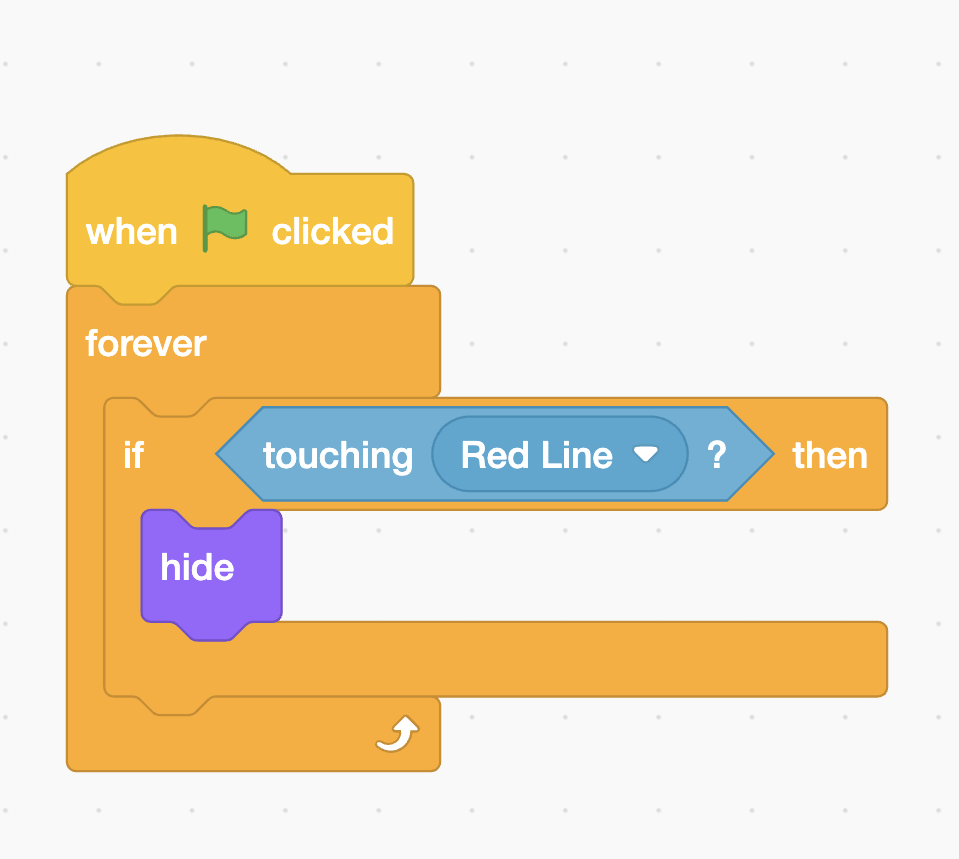
Stage 5: Aliens Win
Goal: If an alien lands on the red line it should indicate that the game is over!
- Select the red line sprite
- Detect when the alien touches the red line.
- Everything should stop once an alien lands on the red line
- It is highly advised to add a 'game over' prompt once the aliens land.
- You could also add a sound effect to indicate the game is over
Stage 6: Creative Extensions
Choose at least two extensions. For higher grades, aim for three or more.
 Scoreboard
 Next Level
 Faster Aliens
 Explosions
 Sound Effects
 Multiple Lives
 Start Screen
 Game Over
 Level Up
 Music
Music
How to Achieve Higher Grades
Secure
Working game with basic movement, shooting, aliens and collision detection.
Strong
Includes scoring, multiple aliens, clear instructions, sound effects and smooth controls.
Exceptional
Polished game with level changes, creativity, custom effects, sound, excellent gameplay and original improvements.
Stage 7: Peer Testing Lab
Your Name
Tester Feedback
What worked well?
What could be improved?
My Improvements
What did you change after receiving feedback?